
June 30, 2026
Thermal Scope Freezing or Lagging: What to Check Before Your Next Hunt
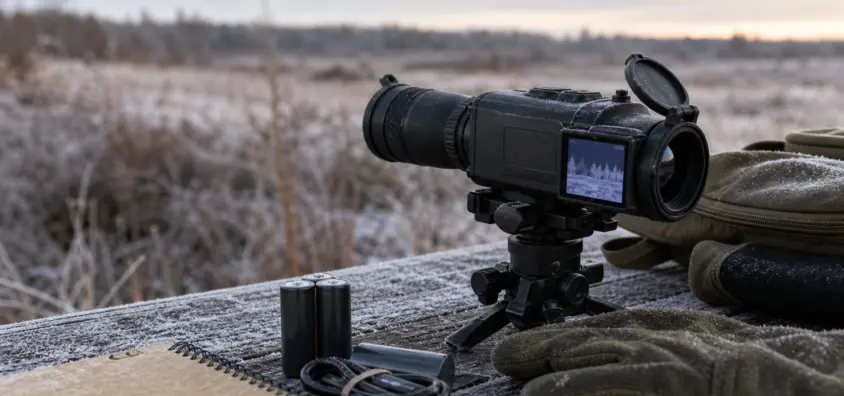
During the cold season there are times when the thermal scope starts to freeze or lag.
A freezing thermal scope during the middle of a night hunt really captures your attention. The image freezes, the coyote appears to be following at half-speed, or the entire optic becomes unresponsive — just at the moment you need it most. If the thermal scope isn’t working, the initial task is to make the rifle safe and slow down the diagnosis.
Avoid assuming "bad scope" or "firmware problem." Some pauses are a natural thermal response. There is some lag from the refresh rate, digital zoom, cold batteries, recording, Wi-Fi, storage cards and app control. Other symptoms are actual lockups that warrant manufacturer assistance.
This guide has been written in the same manner that I troubleshoot myself before a hunt: rifle safe first, symptom identified, simple variables removed, then and only then, firmware or warranty. For more information about ownership and setups, visit NV Guide USA’s Thermal Scopes & Imaging section.
The Short Version
If your thermal scope continues to freeze, lag or is slow, follow this path of operation:
- Always make the rifle safe first. Do not allow the muzzle to wander, do not touch the trigger and do not touch the optic until the gun is in a safe state.
- Distinguish between normal pause and real lockup. A brief calibration/NUC pause is not a "frozen menu" or "dead buttons".
- The symptom is paused images, motion delay, frozen menu, frozen video with working reticle or unresponsive scope.
- Digital zoom, higher gain, and shot in noisy conditions can accentuate the lag of the thermal scope image.
- Run normal NUC/calibration. An out-of-date or distorted picture may be sluggish despite normal processor operation.
- Check power before firmware. If the voltage is low, the batteries are cold, the contacts are dirty, the caps are loose or the power bank is weak, it may lead to slow response, freezing or shutdowns.
- Turn off Wi-Fi, "app control" and recording. Before judging scope reliability, turn off phone, streams, and storage.
- Test in a controlled scene. Always use a safe bench, tripod or unloaded rifle setup and observe known moving objects at normal hunting distances.
- Only confirm firmware and app version after power is stable, do not use random reset codes or combinations of buttons on the forums.
- If the freeze is repeatable without basic variables (if you can remove basic variables), contact official support with a symptom, conditions, battery, firmware, and video (if available).
The idea isn’t to turn all the thermal scopes into daylight optics. The idea is to be able to tell what’s normal, what’s set-up, and what should be supported before you start to trust it on hogs, coyotes or night work property.
First: What Kind of Freeze or Lag Are You Seeing?
The Picture Stops for a Second
When NUC (non-uniformity correction) is performed, there is a short pause in the image. Many thermal scopes use a shutter or calibration process to even out the sensor response. When this occurs the picture may freeze for a moment and the scope may click. That thermal scope NUC pause may appear similar to the thermal scope screen freeze issue but can be expected.
If the image stops for a brief period, then clears up and the controls are still responsive, check against NV Guide USA’s guide to thermal NUC explained. Wait until you are certain that you are not viewing normal calibration before diagnosing a warranty fault.
The Moving Target Has Been Delayed
Thermal scope lag frequently manifests itself as motion delay. A hog can turn and the display is not up to speed. A coyote is running around an opening; this is not as fluid as it should be. This is where refresh rate, processing, digital zoom, display settings and personal expectations come into play.
A 30Hz optic can be perfectly viable, but it won’t appear as smooth as a 60Hz display in certain situations when you have moving targets. You can read more about it in this blog post: thermal refresh rates 30Hz vs 60Hz explained.
Menu Freezes or Buttons Don’t Respond
A thermal scope menu frozen problem is not the same as a thermal scope calibration pause. When the Menu does not move, buttons don’t respond or the scope responds several seconds later, begin checking battery voltage, cold conditions, changes in firmware, app connection, recording and storage variables.
Avoid pressing random buttons behind an armed rifle. Trouble shoot intentionally after making the rifle safe.
The Screen Freezes but the Reticle/Menu Can Still Be Used
Occasionally the thermal image freezes, while the reticle, menu, battery indicator or status icons move. Which suggests that it’s more of an image pipeline, sensor calibration, processing or display update behavior than a total power loss.
If so, go back to base mag and disable recording and wifi, do a normal calibration and test on a controlled scene. If the image freezes over and over again, and the menu is still up, make a note of that for support.
The Whole Scope Goes Unresponsive
If the whole scope fails to respond, will not take input from the button, will not power down without battery removal, or will repeatedly need to remove the battery or hard reboot, assume it’s a more serious sign of reliability issues. This can happen due to power instability, but if it occurs after known-good batteries and settings, then it is support territory.
Some Normal Thermal Actions May Be Confused as Problems
NUC / Calibration Pauses
With new users, NUC is a prevalent cause for why they believe a thermal scope is freezing. There may be a delay of a second. Some scopes make a clicking sound. Some do it manually, some do it automatically by time, temperature or internal logic.
A short pause is not necessarily a fault, but it may be a nuisance when the animal is in motion. Understand how your optic will function, when it is due for calibration and if there is a safe manual-calibration feature.
30Hz vs 60Hz Refresh Rate
The refresh rate of a thermal image is important for the apparent smoothness of motion. With all else being equal, a 60Hz thermal scope will appear smoother when shooting a moving target than a 30Hz thermal scope. It is not that 30Hz is not suitable for hunting. It implies that you shouldn’t mistake lower frame smoothness for a broken optic.
Refresh rate might be the answer if you’re complaining, “the image is not as fluid as my phone video.” If the menu freeze, controls don’t work or the picture freeze up for several seconds, this is a different symptom.
Lag and Noise Are More Noticeable When Using Digital Zoom
Digital zoom provides magnification of the image on the screen. It also amplifies other factors such as noise, focus error, and motion artifacts. Even an acceptable scope at the base magnification could seem slow or choppy at 2x or 4x digital zoom settings because all the actions are multiplied on the screen.
If you are troubleshooting thermal scope delay, always start your troubleshooting at base magnification first. If it is, then test zoom only after you have determined the scope is stable in its cleanest configuration.
Thermal Crossover and Low Contrast Can Appear as if the Image Is Slow
Not all “slow” images are e-lag. Thermal cross over (rain, fog, warm ground or low heat contrast) may result in a flat and smeared appearance. Animals might not be easy to distinguish, and the image might not be as assertive.
If the scope is responding but the image is muddy, check out the following posts: thermal crossover explained and thermal scope image quality problems.
Battery and Cold Weather Checks
Slow Response Times, Freezes, or Shutdowns Can Be Caused by Low Voltage
Thermal scopes are electronics that require a lot of power to operate. Low battery can lead to slow response from the thermal scope, frozen screen, random shutdowns or start-up issues. Thermal scope battery voltage is most critical when the optic is cold since thermal scope cold weather issues can begin with a battery that no longer maintains a stable voltage.
If you suspect a thermal scope firmware problem, check with a fully-charged, known good battery or from an approved power source. If the issue resolves with stable power, then you’ve discovered the first variable.
NV Guide USA has written a complete guide about thermal scope battery life, including internal batteries, removable batteries, power banks and cold weather battery life.
Inspect Battery Contacts, Caps and Power Banks for Damage or Wear
Look at the simple mechanical pieces:
- Battery cap is properly in place and not cross-threaded
- Contacts are clean, dry and not corroded
- Springs or terminals not bent
- Good condition rechargeable cells
- USB cable is fully inserted.
- Power bank with adequate rating for the optic
- No loose connection that flickers during recoil or movement
It is possible to get a false bad processor due to a weak external cable or dirty contact. If the scope exhibits power-on or shutdown symptoms, see thermal scope won’t turn on or keeps shutting off.
Wait Until the Power Is Stable Before Diagnosing Firmware
Troubleshooting in the presence of unstable power is bad troubleshooting. If the battery is low, cold, questionable, or loose, all other findings are suspect. Fix the power situation first, and then review menus, image behaviour, app connectivity, recording and firmware.
App, Wi-Fi, Recording and Storage Issues
When Not in Use, Switch Off Wi-Fi
There’s another layer, Wi-Fi and app control: phone, app version, wireless signal, streaming, permissions, background phone behavior. A Thermal Scope App Connection Issue is not an indication that the scope is unreliable.
When plugged into a phone, if the scope seems slow, disconnect the app and switch off the Wi-Fi. Do your own hunting and testing with this optic only. If the lag goes away, then you should troubleshoot the app/connection path separately. This is where NV Guide USA’s guide on thermal scope app not connecting comes in handy.
Recordings Can Introduce Additional Storage and Processing Variables
These thermal scope recording freezes can be caused by storage, file handling, processor load, app streaming, low battery or firmware behaviour. If the optic freezes while shooting video and not with aiming without video, don’t assume it’s a general shooting problem until you test aiming without video.
If your model requires a storage card, use approved storage media. Maintain sufficient clearance. Don’t trust reliability based on the full card, corrupted file or phone streaming session during a hunt. Check out thermal scope video recording for recording basics.
App Control Is Not Scope Reliability
The app for the phone may freeze while the scope continues to function. While the eyepiece image is still useable, a live preview may lag. File transfer may fail without impacting zero, reticle or core display.
Separate those paths. Test optic with Wi-Fi OFF using eyepiece. Afterwards, test app control separately as an issue.
Firmware and Settings: What to Check Safely?
To Confirm the Existing Firmware and App Version
Firmware can and does make a difference, particularly following updates, app changes, or known support advisories. Always check the actual firmware version in the official menu and only compare with the firmware information provided by the manufacturer’s support.
Don’t just assume that a firmware update is always the solution. Updates can resolve behavior issues, but they can also alter settings, menus or profiles and preferences need to be rechecked.
No Random Reset Codes and Forum Button Combos
This is where the hunter’s problem occurs. A forum post could have a reset sequence, engineering menu, or a combination of buttons for a different model, or firmware version. Avoid resetting hunting optics with random codes.
Follow the reset procedure provided by the manufacturer or documented reset procedure in the owner’s manual, or contact official support. If the scope fails to boot up or fails to update or fails to do so when exposed to water or battery leaks or repeated hard lockups, contact support rather than experimenting.
It Makes Sense to Perform a Factory Reset When:
A factory reset may be useful if settings become corrupted, there are ongoing menu issues, failed pairing cleanup, or if officially advised. Prior to resetting, note down your rifle profile, zero distance, reticle, palette, brightness and contrast settings and Wi-Fi settings in case the scope stores any ballistic information.
Do not presume the rifle is ready to hunt after reset. Verify correct zero profile and confirm zero where safe and legal.
Field Troubleshooting Order
Step 1: Make the Rifle Safe
The first part of troubleshooting is muzzle control, finger off trigger, safe direction and your normal unload/safe-condition process. The fact that a thermal scope is frozen should never be a reason to treat a rifle casually.
Identify the Precise Symptom
Note if you observed a one-second image pause, motion delay, frozen menu, frozen image with working menu or full lockup. Record temperature, battery status, Wi-Fi, recording and if the optic had a recent update.
You Can Now Go Back to Base Magnification and Simple Palette
Disable digital zoom. Apply normal palette: white hot or black hot. Do not pass judgment on the problem from max zoom, high gain, specialty color palettes or a noisy scene.
Click on Normal NUC / Calibration
Normal NUC or calibration using the manual. However, if the "freeze" was a calibration pause, then the pattern may be clearly visible.
If You Have Tried the Other Steps and Still Have Problems, Try Using a Known Good Battery or Power Source
Charging from a fully charged approved battery/power source. Prior to testing, warm cold batteries in a safe manner. Review caps, contacts and outside wires.
Step 6 Is to Turn Off Wi-Fi, App Control and Recording
Unload the unnecessary load. No phone, streaming, recording or transferring files. Test the optic as a stand alone aiming device.
Step 7: Test in a Controlled Scene
Use a safe bench, tripod, or set-up without load and check a controlled scene such as someone walking at a safe distance, something driving across the field of view or warm objects at a known distance. Avoid testing while attempting to make a shot.
When to Stop and Contact Support
If Impacted by Other Factors, Such as Water Exposure, Battery Leakage, or Failed Update
After a significant impact, water penetration, battery leakage, failed firmware update, charging error, burned odor, visible corrosion, or any internal display anomalies, cease troubleshooting and reach official support. Those are not field-setting problems.
If the problem is that the screen has dead pixels, stuck pixels, or strange artifacts, check out the symptoms at thermal scope dead pixels, stuck pixels, screen artifacts and then follow official warranty guidelines.
If Freezing Is Repeatable After Battery, NUC, and App Variables Are Removed
The likelihood of a repeatable thermal scope warranty issue increases when the scope freezes with known good power, Wi-Fi off, recording off, base magnification, normal palette, and controlled temperature conditions.
At that time, don’t reset again prior to each hunt. Write it down and call the manufacturer, dealership or authorized service path.
What Evidence to Collect
Supporting evidence items are:
- Make, model and serial number
- Version of firmware and app.
- Type of battery, its charge status, and external power configuration
- Temperature and weather
- If the device had Wi-Fi on, its app controls, or recording on.
- Exact symptom and how long it lasted
- Whether controls still worked
- Impact, update or mount change in recent time, water exposure
- Brief video of the problem (if it is safe to do so)
Good notes make a short support conversation. When people say "it froze once" it is difficult to take action on these reports.
Pre-Hunt Prevention Checklist
Prior to a serious night hunt:
- Pack extra batteries or a battery pack/power bank for charging.
- Check contacts, caps, cables and port covers.
- Turn scope on in time to stabilize.
- Check for accurate profile, reticle and zero information.
- Run normal NUC/calibration, and learn the pause behavior.
- Check base magnification first before resorting to digital zoom.
- Disconnect the Wi-Fi if you don’t need it.
- Check the setting for recording, if you are going to record.
- If scope records internally or to a card, check available storage.
- Do not update the firmware just before going out if it is not stated by the official support.
- Test the image both indoors and outdoors.
- If you are unsure about the image quality, identification or response, then reduce the distance of the shot.
Adhere to local night hunting regulations and never attempt a shot outside of the range of confidence for identification and the rifle’s capabilities. If the thermal scope is lagging, freezing, or is not easy to read, there is a reason to slow down, NOT force the shot.
Quick FAQ
Is Thermal Scope Lag Normal?
A certain amount of motion difference is acceptable, particularly at lower refresh rates, when using digital zoom, and under certain display conditions. A short NUC break is also normal. If an application is freezing for long periods, buttons are unresponsive, or the system locks up completely, it’s not something to overlook.
During NUC, Why Does My Thermal Scope Freeze?
The optic can temporarily halt the image during NUC or calibration to correct sensor uniformity. If the picture returns to normal and the controls work, this could be a normal function of your model. Review manual and find out when the automatic calibration takes place.
Can Cold Weather Cause a Thermal Scope to Lag?
Yes. Cold weather will affect battery performance, decrease the voltage, decrease runtime, and unmask bad battery contacts or cables. Don’t blame firmware for not stabilizing power.
Is It Possible for a Thermal Scope to Freeze Due to Wi-Fi or Recording?
They may cause issues with certain systems. Things like Wi-Fi, control over apps, streaming, recording, file handling and storage media complicate things. Test with Wi-Fi and recording off before judging the scope to be faulty.
Is It Advisable to Reset a Thermal Scope That Has Frozen?
After you’ve documented your settings, and eliminated basic power, NUC, app, recording, and storage variables. Follow the documented reset procedure (not forum random button combinations). Double check zero after, if it’s safe and legal.
Does a Frozen Thermal Scope Mean It’s a Warranty Problem?
It can be. It’s a repeatable freeze after known good power, normal calibration, Wi-Fi off, recording off, and controlled testing and it deserves official support. This is particularly crucial following water damage, crashes, battery leak, update failures or frequent complete lock-ups.
Final Field Rule
The most successful troubleshooting practice is the ability to distinguish a normal thermal response from a genuine trouble. One second NUC pause is not like a locked menu. 30Hz image does not equal a frozen processor! A weak cold battery is not an indication of bad firmware.
For most hunters there is only one right way – make the rifle safe, eliminate extra variables, normalize power, test the scope alone, and record all repeatable results. If the thermal scope continues to freeze or lag after that, don’t rely on guesswork, and seek professional help before the next hunting season.
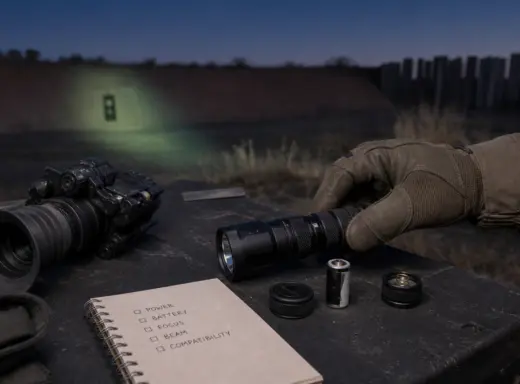
IR Illuminator Not Working With Night Vision? Beam, Battery, Focus and Compatibility Check.
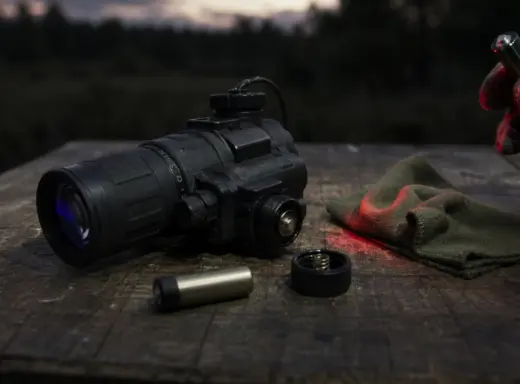
Is your NV not turning on? Battery, Contacts, Mount and Tube-Safe Troubleshooting
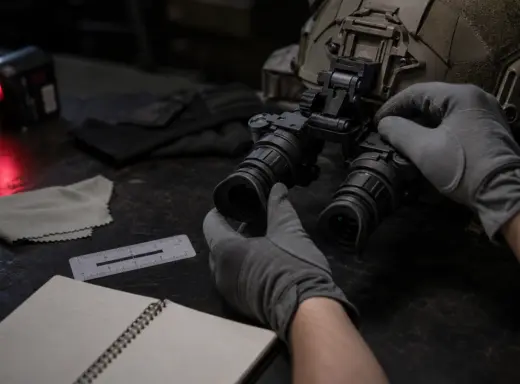
Night Vision Collimation and Alignment: Fix Double Vision, Eye Strain and Dual-Tube Setup Issues